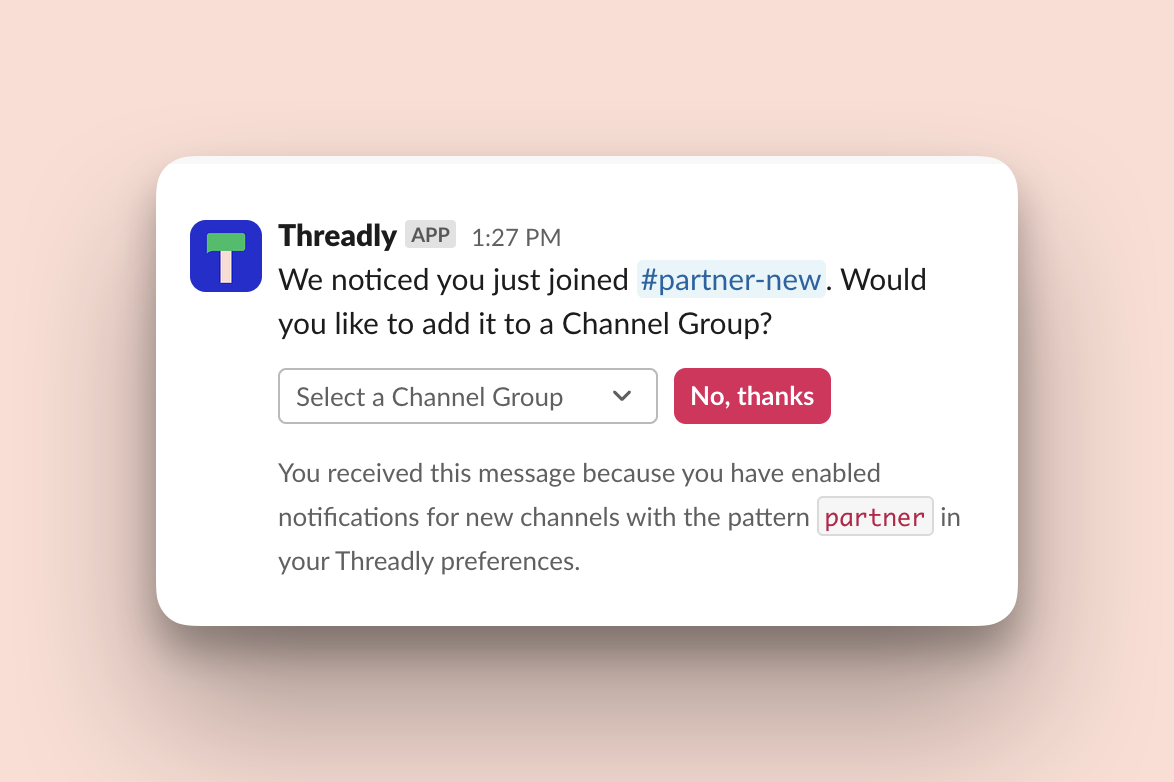
At Threadly, we're constantly looking for ways to improve your Slack experience, specifically around channels and mass-communication. Today, we're excited to introduce a new feature designed to help you organize your workspace more efficiently: the Channel Grouping Assistant.
This new functionality, available to our premium plan subscribers, automatically prompts you to add recently joined channels to your existing Channel Groups. Here's how it works and how you can set it up:
Feature Overview
- Automatically prompts you to add new channels to any Channel Groups
- Customizable to match specific channel naming patterns
- Helps maintain an organized Slack workspace as your channel list grows
Setting Up the Channel Grouping Assistant
Before we begin, please note that you may need to update your app to access and fully activate this feature. You'll be notified in the app if you're using an unsupported version.
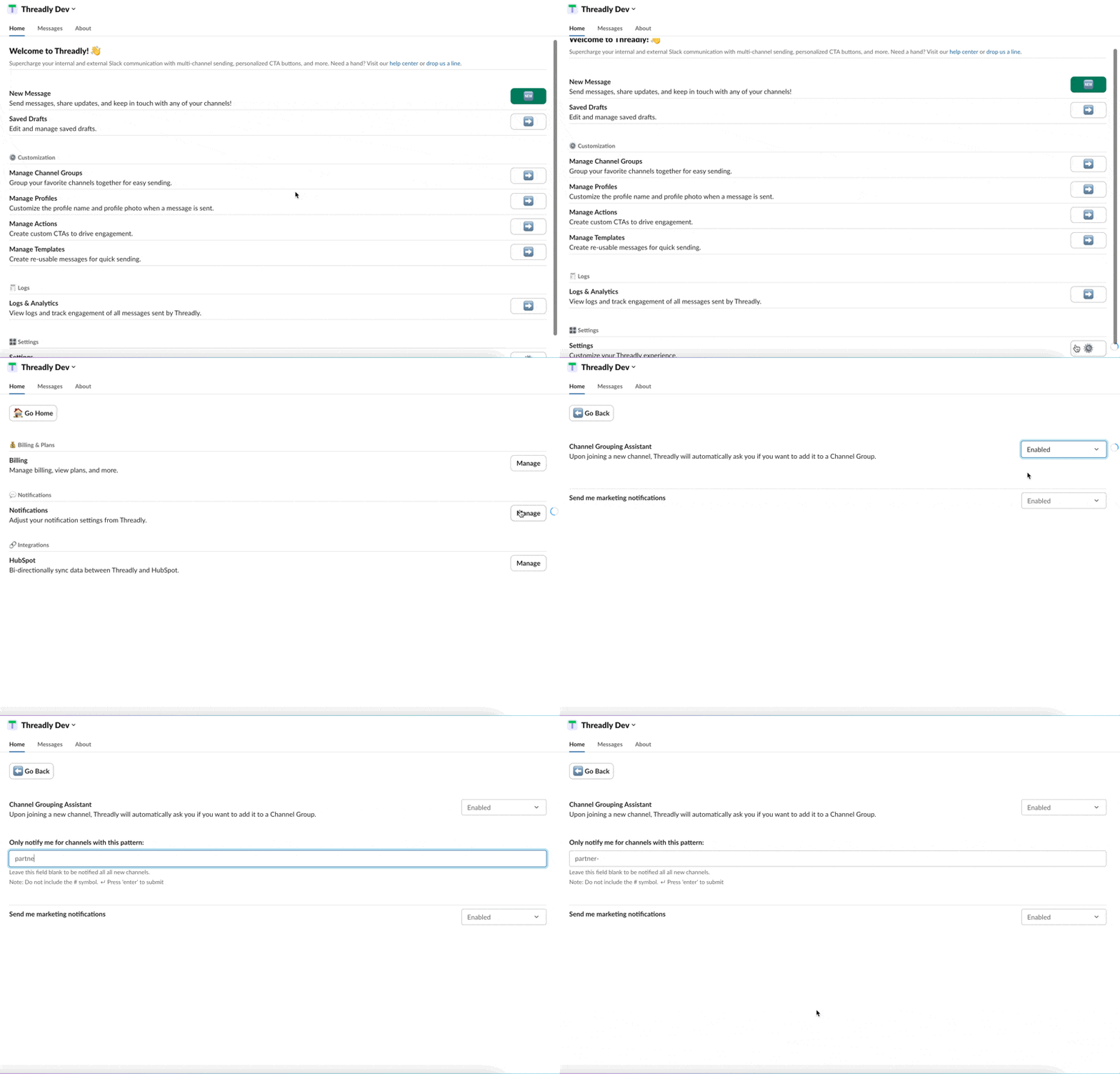
- Navigate to Settings: From the Threadly home tab, scroll to the bottom and select Settings.
- Access Notifications: Within Settings, click on the Notifications option.
- Enable the Feature: Find Channel Grouping Assistant and set it to Enabled.
- Optional Customization: You can specify patterns (e.g., partner- or project-) to trigger notifications only for channels matching these criteria.
Benefits
- Saves time on manual channel organization
- Ensures consistent grouping across your workspace
- Reduces clutter and improves navigation in your Slack sidebar
Availability
Please note that this feature is exclusively available to users on our premium plan. If you're interested in accessing this and other advanced features, consider upgrading your subscription.
We believe this new feature will significantly enhance your Slack organization and productivity. As always, we welcome your feedback and suggestions for further improvements.
Try out this handy new feature today and experience a more organized Slack workspace!