Slack surveys and forms people actually fill in
Survey links get ignored. Put the survey, poll or form inside the Slack message instead, and let the answer decide what happens next.
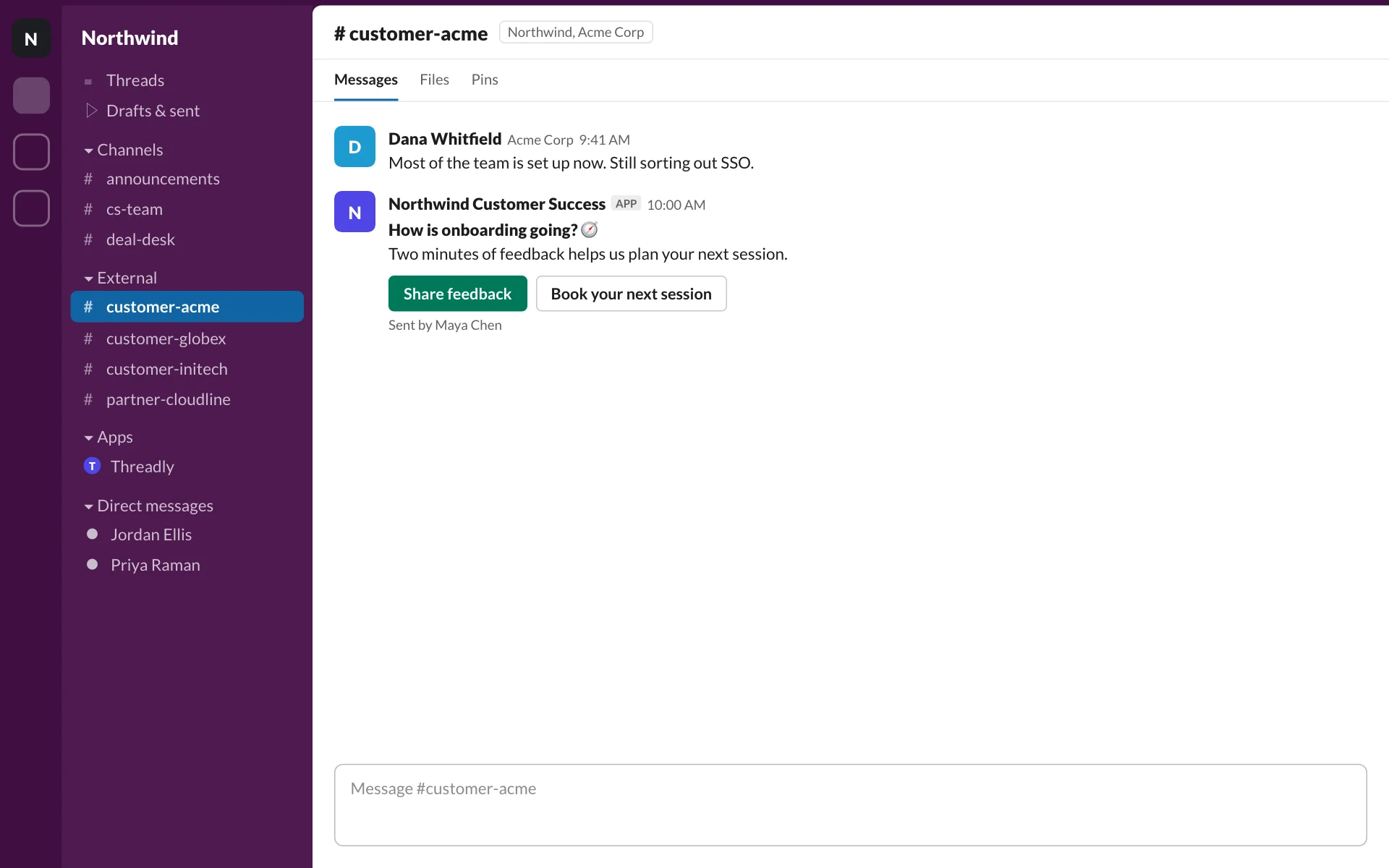
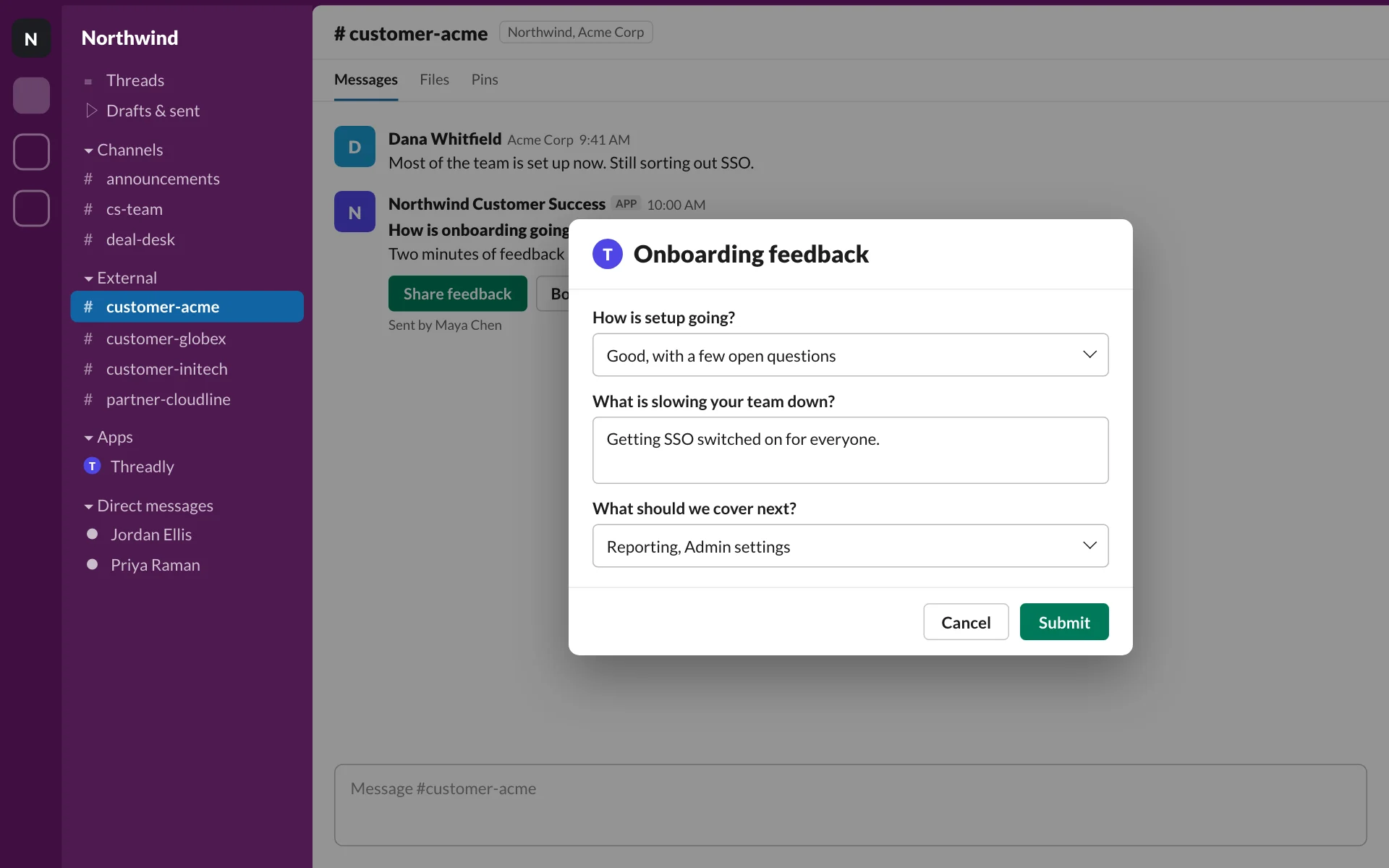
Every answer can trigger the next step
Attach a Threadly form to your message so people can respond inside Slack. In a journey, use their answers to choose the next step and keep the conversation moving.
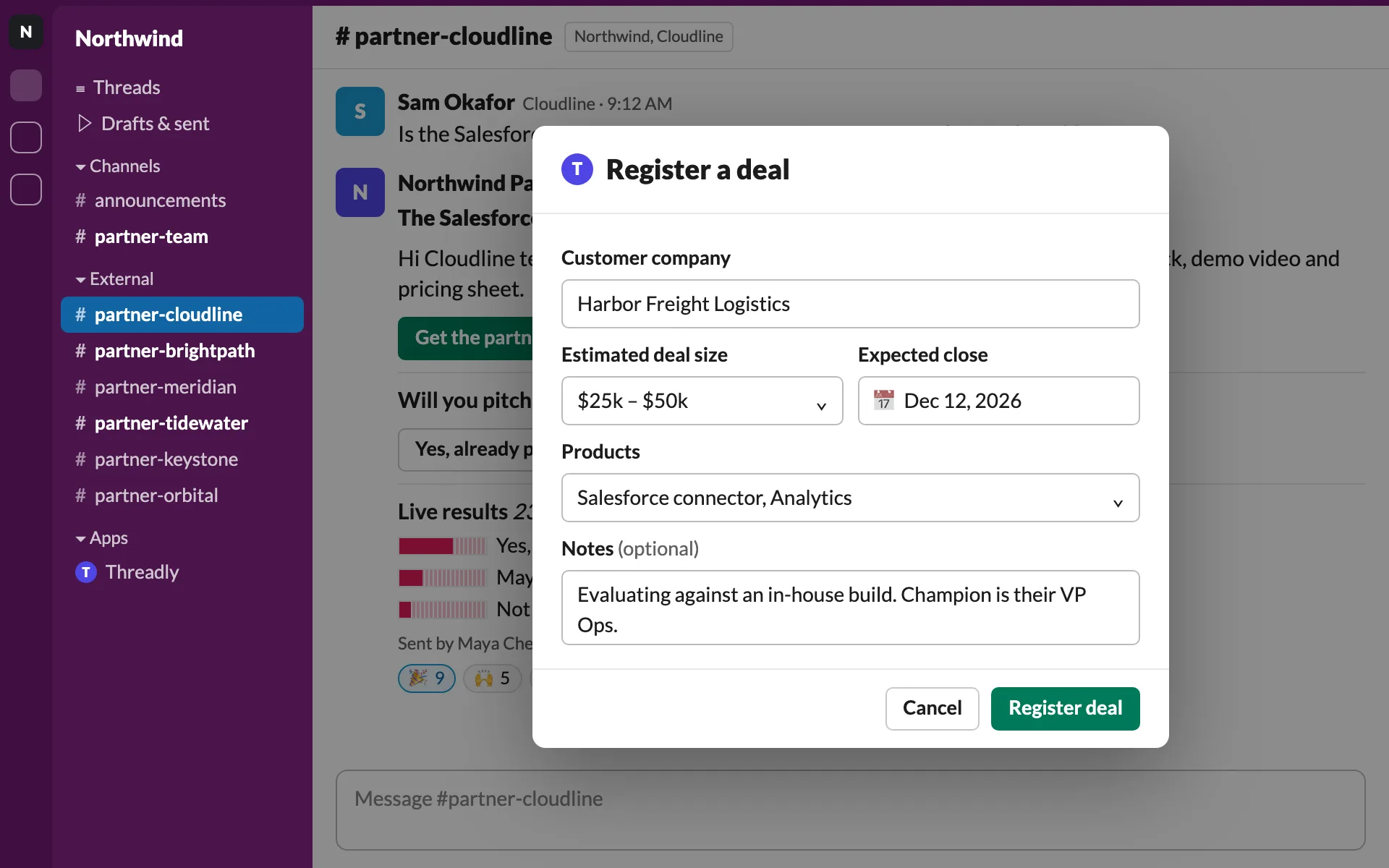
Build it once. Use it everywhere.
Forms live in your CTAs & forms library next to link buttons and booking buttons. Reuse one in any message or template, or import a Typeform you already have.
See CTAs & forms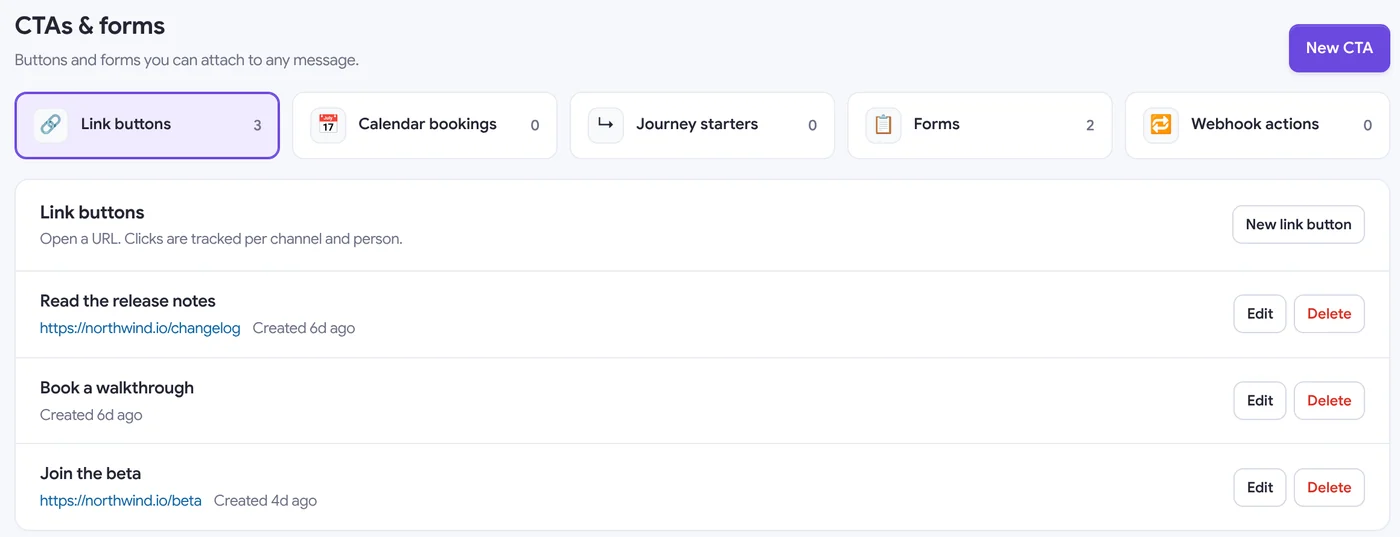
One form, every channel
Attach the form to a broadcast and pick channels, a segment or people. Responses from every channel come back to the same send.
More on Slack Connect broadcastsNorthwind TeamAPP
Help us plan the customer summit
Two minutes: tell us which sessions you’d attend and who’s coming.
- customer-acmeSlack ConnectDelivered
- customer-globexSlack ConnectDelivered
- partner-cloudlineSlack ConnectDelivered
- customer-advisory-boardSlack ConnectDelivered
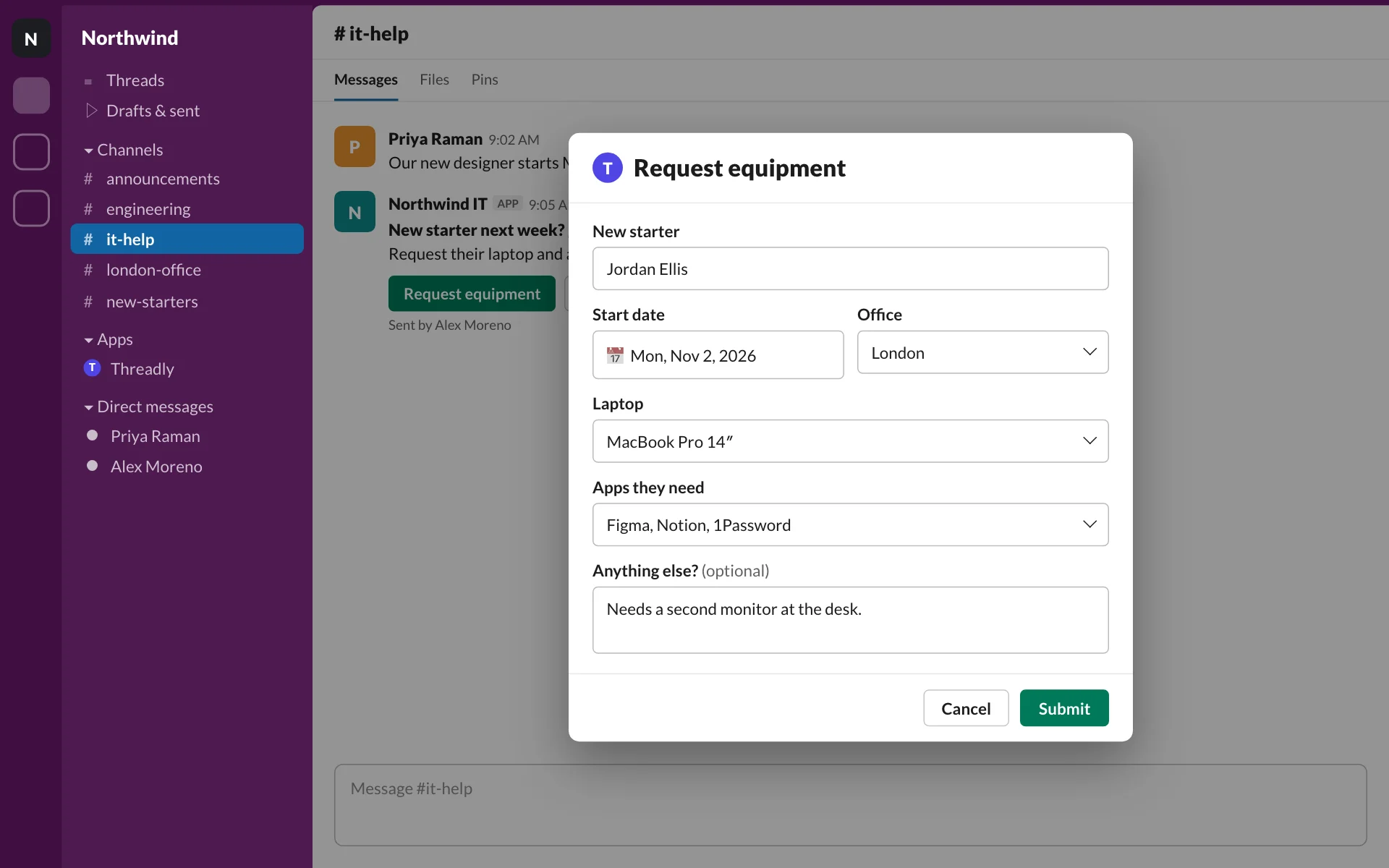
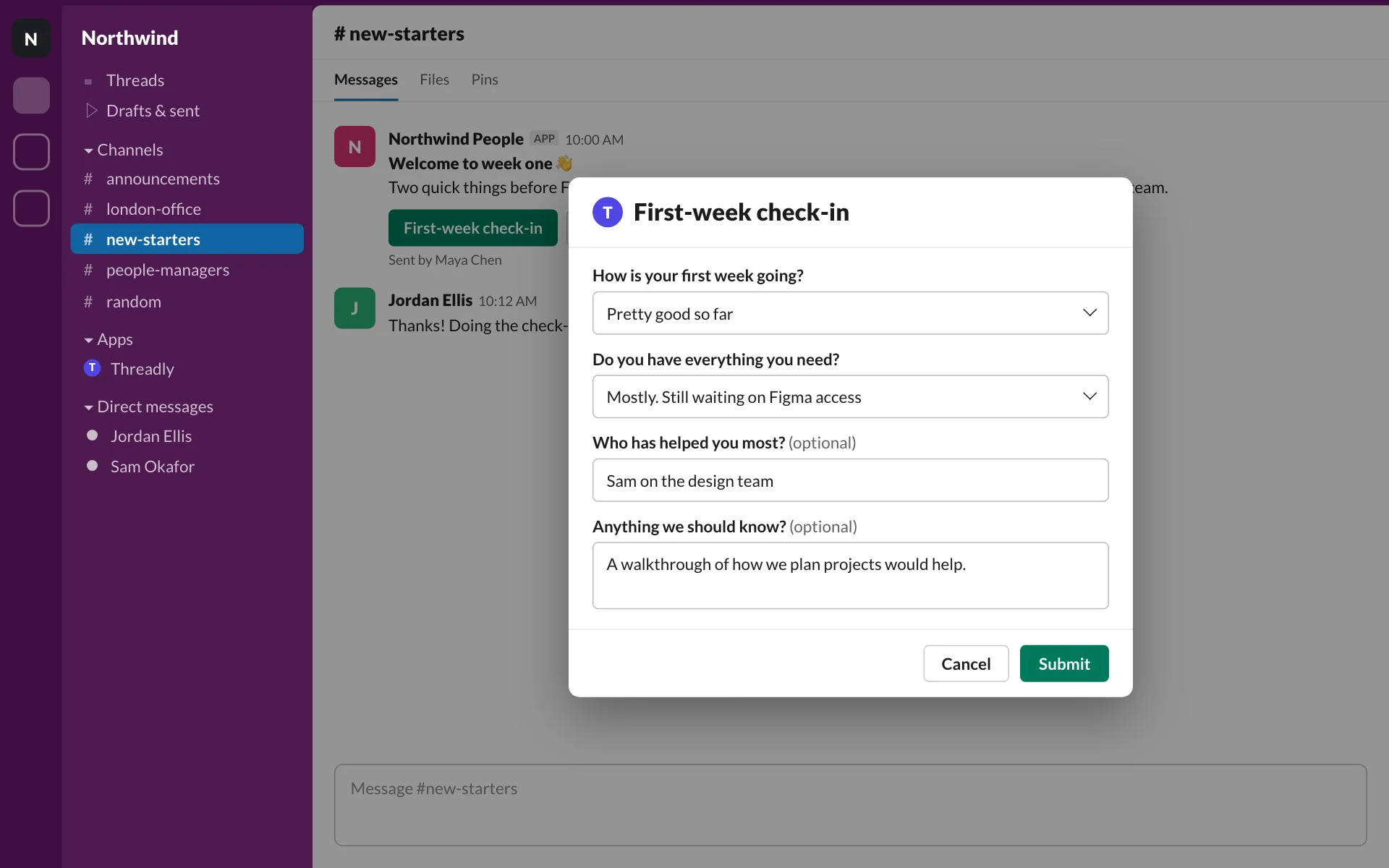
One builder, a form for every team
Your own Threadly forms, tailored to partners, IT, People and customer conversations.
What teams collect with interactive forms
- Form
Event RSVPs
Sessions, dietary needs and attendees for summits and offsites.
Frequently asked questions
What are Threadly forms?
Threadly is an app for Slack that adds surveys, polls and forms to Slack messages. People answer in a Slack modal without leaving the conversation, and you can send the same form to many channels at once.
Can form answers change what happens next?
Yes. In a Threadly journey, collect a form and use its answers to branch to the next message, ask another question or alert your team.
Do people leave Slack to fill out a form?
No. You build the interactive form in Threadly and people open it from a button in your Slack message. Their responses are collected in Threadly.
Can I use a form I already built in Typeform?
Yes. Import a Typeform and Threadly turns it into a Threadly form you can attach to any message.
Do forms work in Slack Connect channels?
Yes. Customers and partners can open and submit forms from your shared channels.
Can I send the same form to multiple channels?
Yes. Attach it to a broadcast and pick channels, a segment or people. Responses come back to the same send.
Connect your next form to a conversation
Build an interactive form in Threadly, attach it to a message, and collect answers you can follow up on. Free to start.