Threadly vs Zapier
Zapier sends the Slack message. Threadly gets the reply.
Zapier connects thousands of apps, and posting to Slack is one of the things it can do. Threadly is built for the message itself: send it to many channels, add forms and booking buttons people use inside Slack, and see who responded. Many teams use Zapier to trigger Threadly.
Which one fits the job?
Pick Threadly if
- Slack is where you talk to customers, partners or your team
- The same message needs to reach many channels or people
- You want people to answer, book or click inside Slack, and to see who did
Pick Zapier if
- Slack is one step in a longer workflow across other apps
- You need to move data between tools Threadly doesn’t connect to
- A notification in one channel is all you need
One message, every channel
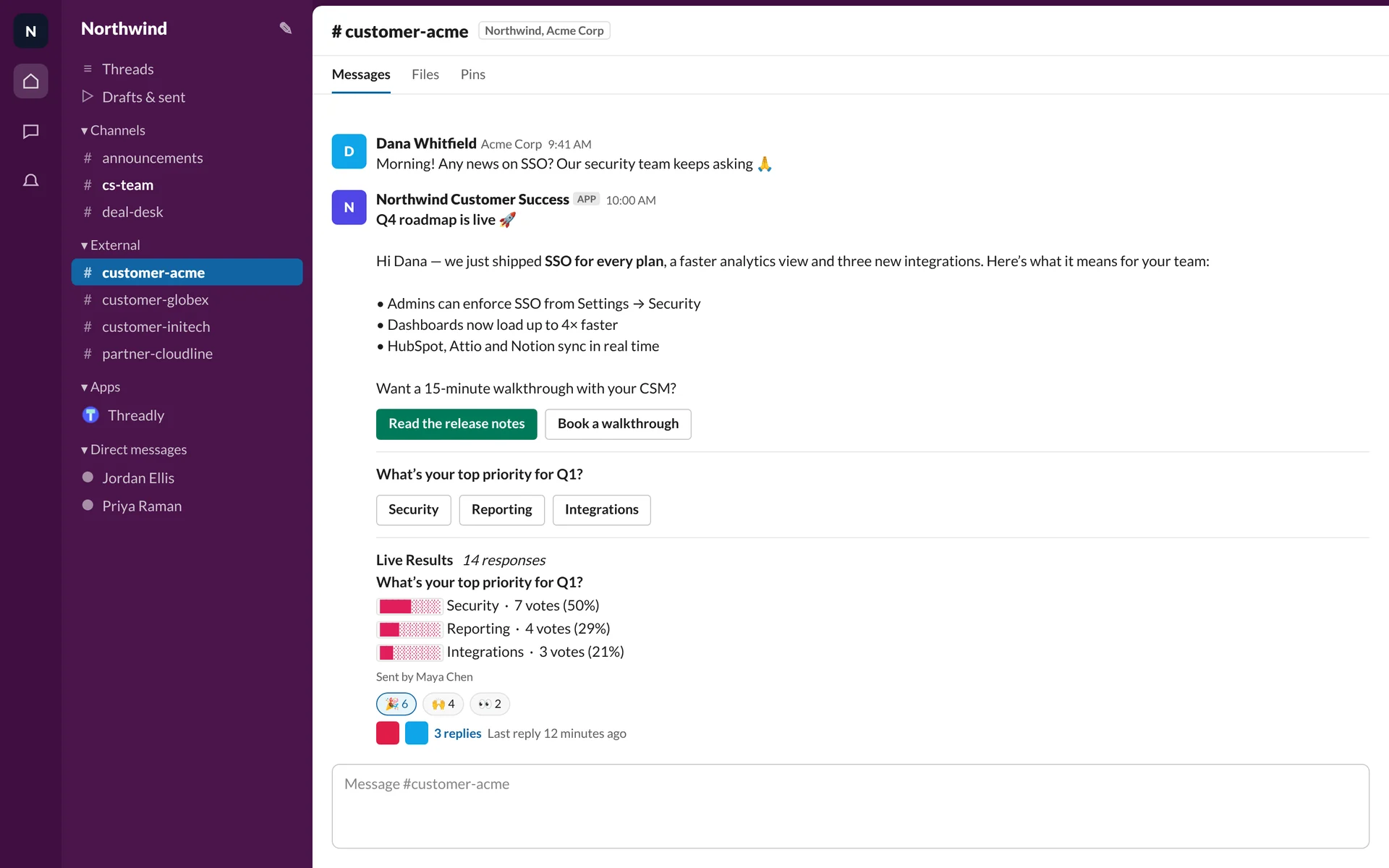
Pick the channels or a saved segment, write the message once, and send. Each channel gets its own copy with working buttons.
Northwind Customer SuccessAPP
Q4 roadmap is live 🚀
We just shipped SSO for every plan and a faster analytics view.
- customer-acmeAcme Corp · Slack ConnectDelivered
- customer-globexGlobex · Slack ConnectDelivered
- customer-initechInitech · Slack ConnectDelivered
- customer-umbrellaUmbrella · Slack ConnectDelivered
Threadly and Zapier, side by side
- What it is
- Threadly:An app for Slack that sends messages people act on
- Zapier:An automation platform that connects thousands of apps
- Best at
- Threadly:Updates, surveys and invites sent to many Slack channels and people
- Zapier:Moving data between apps when something happens
- Where you use it
- Threadly:In Slack, the Threadly web app, or through the Threadly API and MCP server
- Zapier:In the Zapier editor, or through Zapier’s API and MCP server
- Connects to
- Threadly:HubSpot, Attio, Clay, Planhat, Cal.com, Calendly, Notion, Typeform, webhooks and Zapier
- Zapier:Thousands of apps
What Threadly adds to a Slack message
One send, many channels
Pick channels, a saved segment or people, and each gets its own copy of the message.
Forms inside Slack
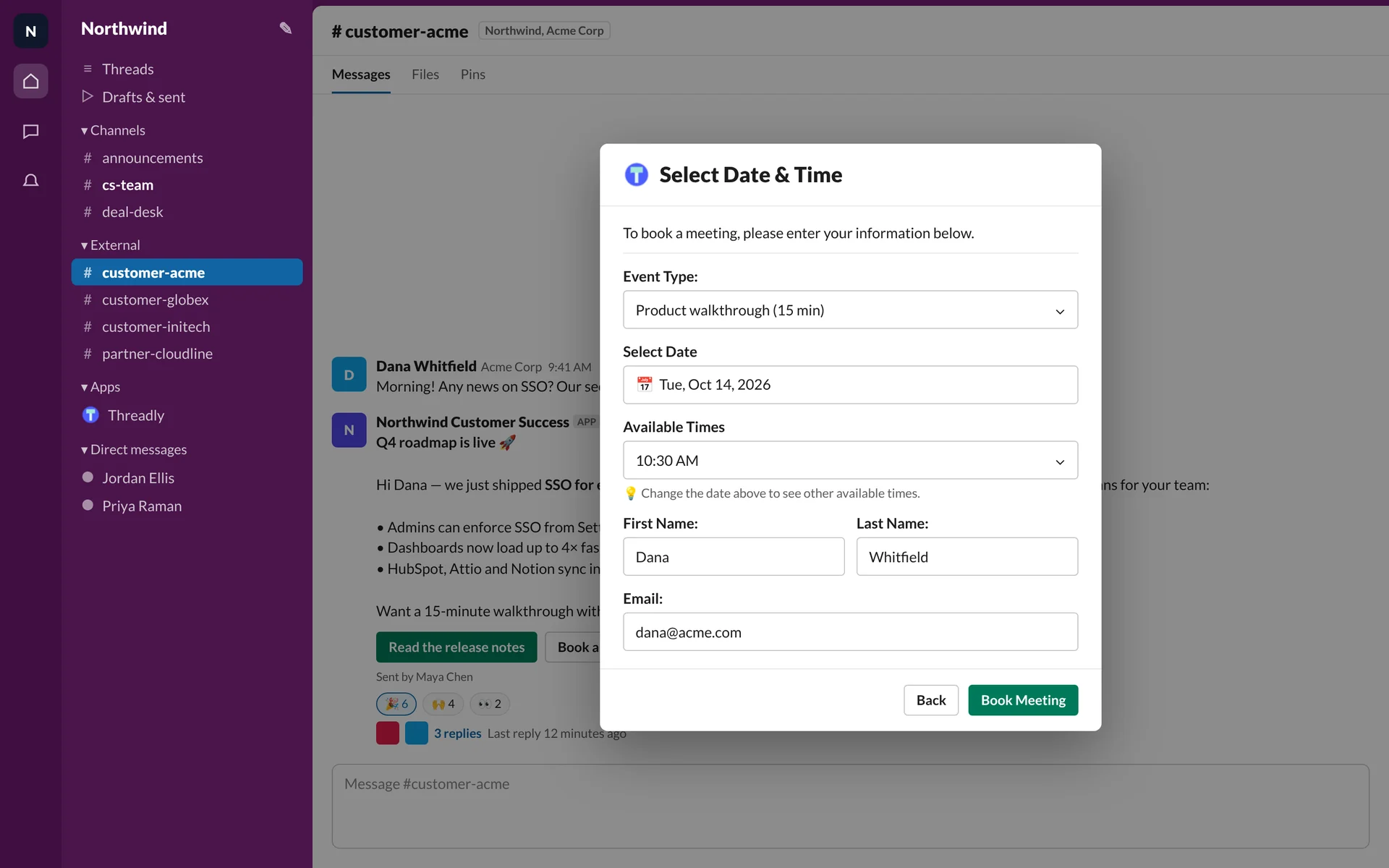
A button opens a form as a Slack modal: text, dropdown, date and multi-select fields.
Meetings booked in Slack
Calendly, Cal.com, SavvyCal or HubSpot meetings, booked from a button in the message.
Who responded
Clicks, replies and form responses by channel and by person, for every send.
Audiences from your CRM
Segments built from HubSpot, Attio or Clay fields that update as your data changes.
Follow-ups that wait for the answer
Journeys ask, wait for the reply and branch on it (early access).
Using Zapier and Threadly together
Zapier moves the data. Threadly handles the conversation in Slack.
CRM event, Slack message
A deal changes stage, Zapier fires, and Threadly sends the welcome to that customer’s channel.
Form answer, other tools
A customer answers a Threadly form in Slack, and Zapier sends it on to your CRM or a spreadsheet.
Any app, any channel
Send a Threadly message from a Zap, or call Threadly’s API or MCP server directly, for tools Threadly doesn’t connect to.
Frequently asked questions
What is the difference between Threadly and Zapier?
Zapier is an automation platform that connects thousands of apps, and posting to Slack is one of its actions. Threadly is an app for Slack built for the message itself: sending one update to many channels, adding forms and booking buttons people use inside Slack, and showing who responded.
Can I use Threadly and Zapier together?
Yes. A Zap can trigger a Threadly message, and Zapier can send Threadly form responses to other tools. Threadly also has its own API and MCP server if you’d rather connect directly.
When is Zapier the better choice?
When Slack is one step in a workflow that spans other apps, or when you need to connect tools Threadly doesn’t integrate with.
When is Threadly the better choice?
When the Slack message is the point: you send the same update to many channels or people, want them to respond inside Slack, and need to see who did.
Send your next Slack message with Threadly
Add Threadly to Slack, connect Zapier if you use it, and send to every channel at once. Free to start.