External communication in Slack, sent once
Write one update, post it to every shared customer and partner channel, and see which accounts respond.
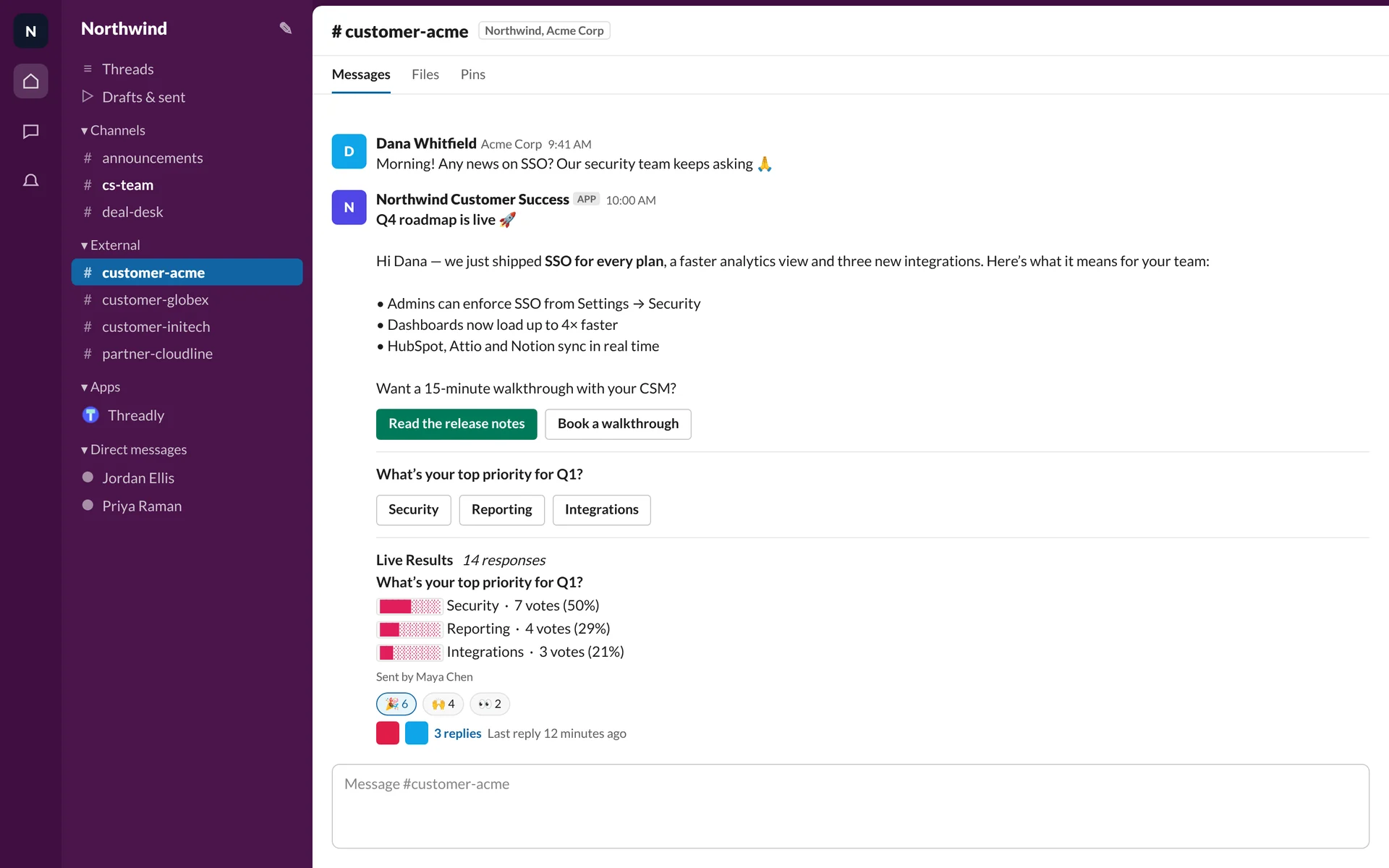
Each channel gets its own message
Pick shared channels by hand, or send to a saved segment. Threadly posts a separate message in each channel, so replies and clicks stay with the right account.
Northwind TeamAPP
Scheduled maintenance on Sunday
The dashboard will be read-only from 6–7am UTC. No action needed.
- customer-acmeAcme CorpDelivered
- customer-globexGlobexDelivered
- partner-cloudlineCloudlineDelivered
- partner-brightpathBrightpathDelivered
Channel lists that keep themselves current
Group partner or customer channels once. Dynamic segments follow your CRM, so a new Gold partner is included in the next send automatically.
See the HubSpot integration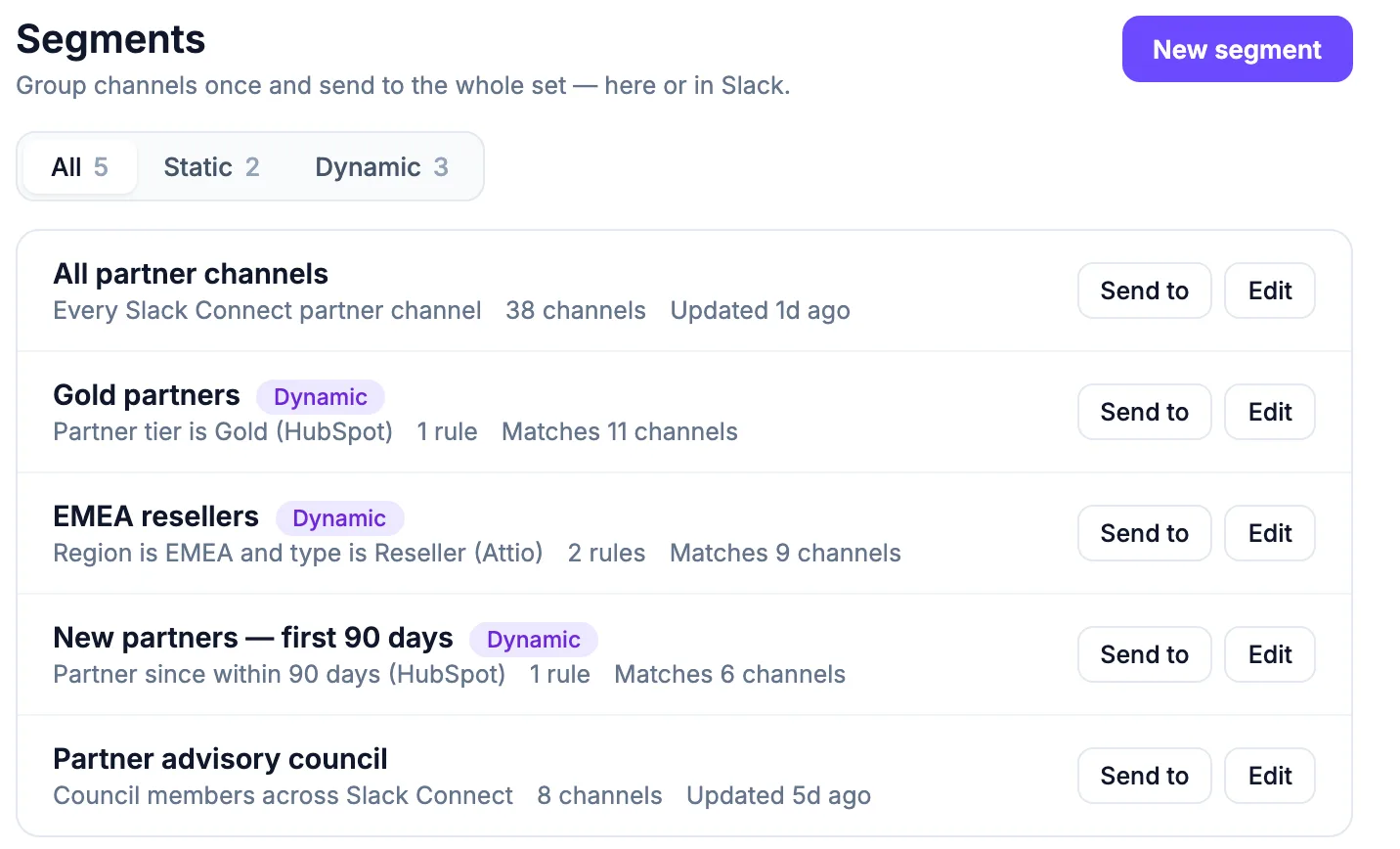
Every broadcast gets a next step
Add link buttons, a form, a one-click poll or a booking button. People act inside their shared channel, and you see the results live.
More on interactive forms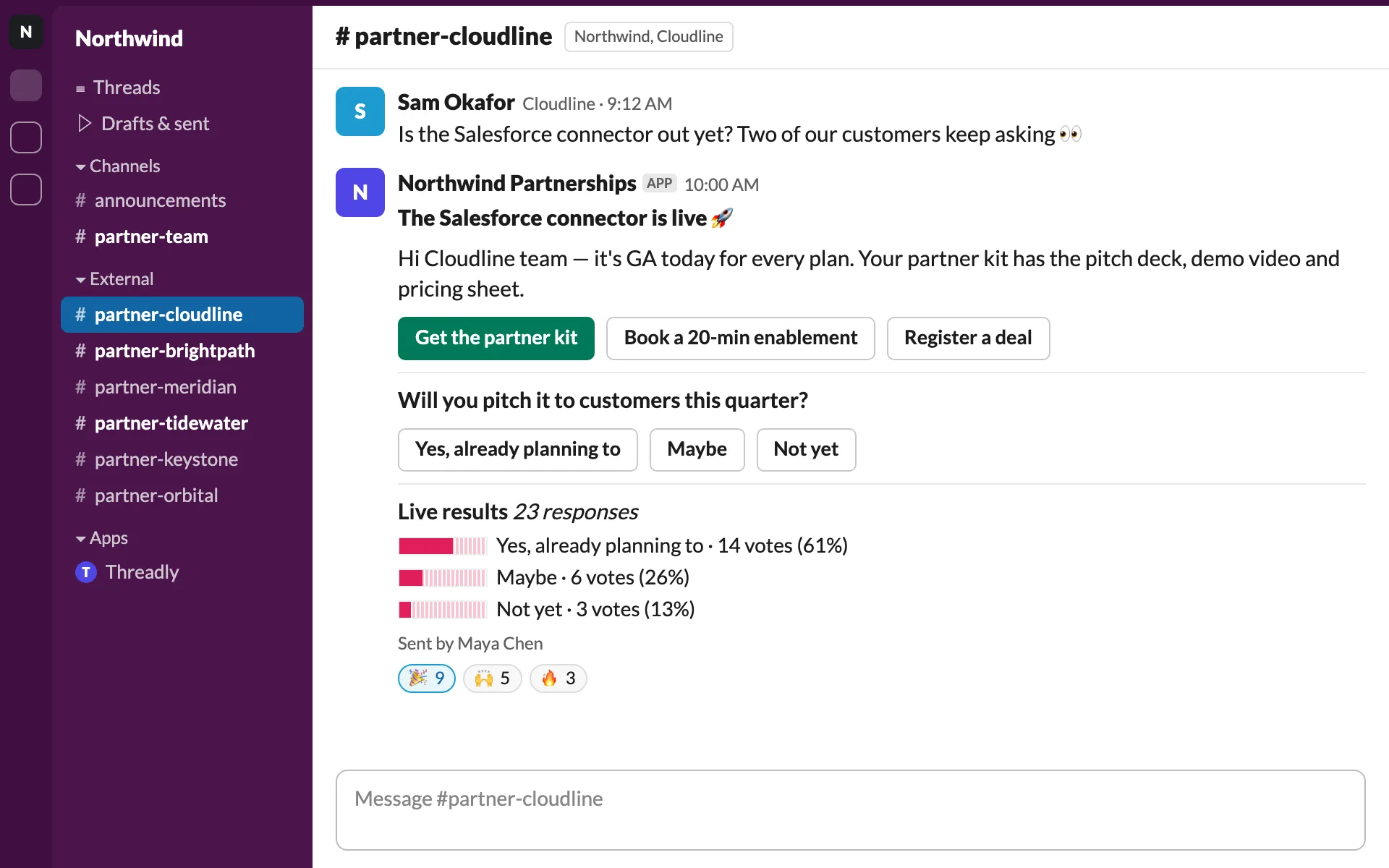
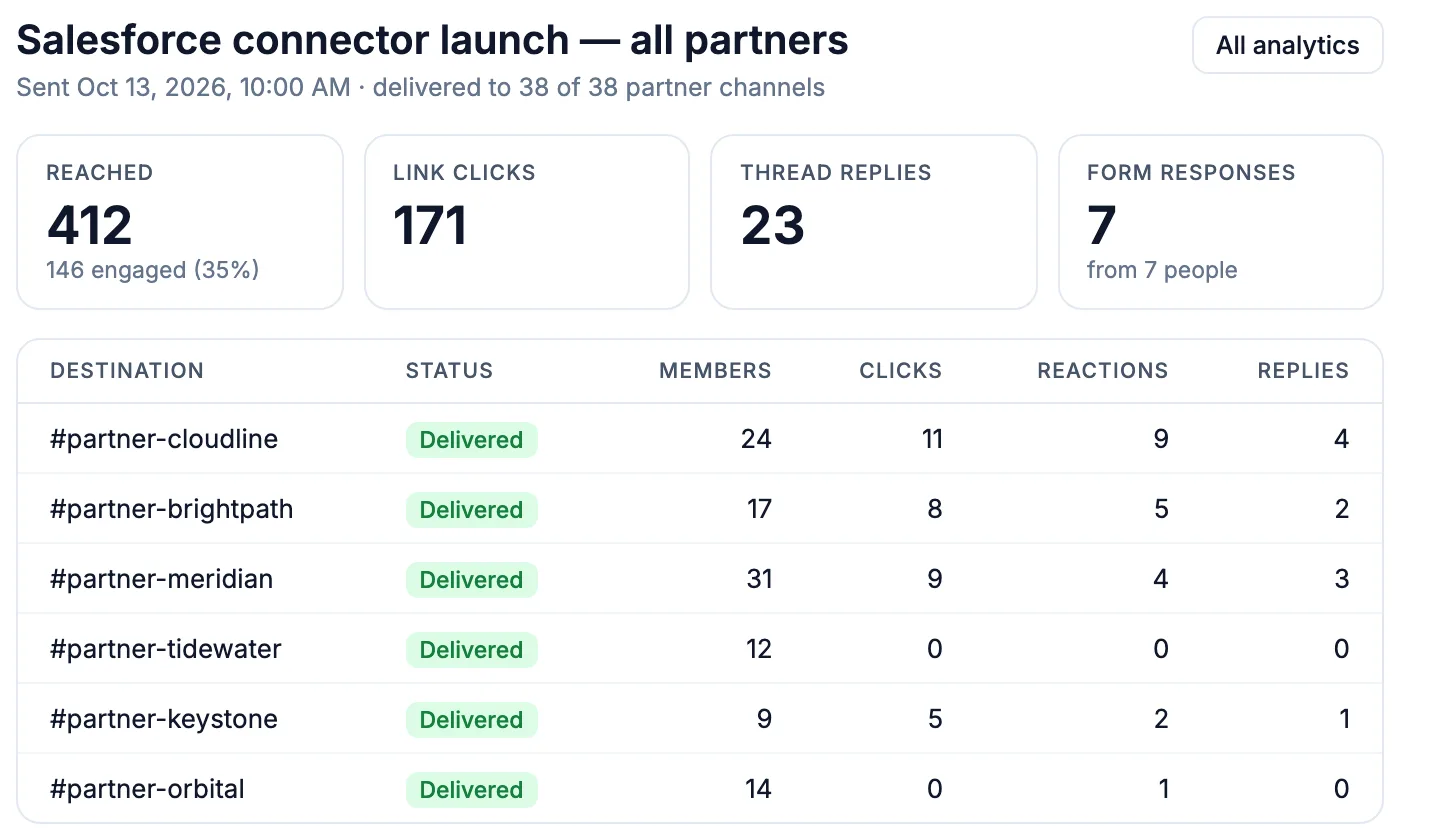
Find the accounts that went quiet
Every send lists each channel with delivery status, members, clicks, reactions and replies. Find the accounts that didn’t engage and follow up.
Who sends Slack Connect broadcasts
- Poll
Product teams
Beta invites and roadmap votes for advisory boards.
- Booking
Account managers
Renewal reviews booked from the message.
- Form
Marketing
Event RSVPs and case study requests.
Frequently asked questions
What does Threadly do for Slack Connect channels?
Threadly is an app for Slack for external communication in Slack Connect. It posts one update to every shared customer or partner channel, adds buttons and forms, and tracks engagement for each channel.
What is a Slack Connect channel?
A channel shared between your workspace and another organization’s. Threadly posts to those shared channels from your workspace.
Can I broadcast to all my shared channels?
Yes. Select the channels you want, or save them as a segment and send to it each time.
Does each channel get its own message?
Yes. Threadly posts a separate message in every channel, so replies and clicks stay with that account.
Can I see which channels engaged?
Yes. Each send shows delivery, clicks, reactions, replies and form responses per channel.
Send your next update to every shared channel
Add Threadly to Slack, pick your Slack Connect channels and send. Free to start.