IT requests that arrive with every detail
Put a Slack form behind the equipment request, a booking button behind the setup session, and send maintenance notices to every affected channel or person at once.
Ask for the laptop, apps and start date up front
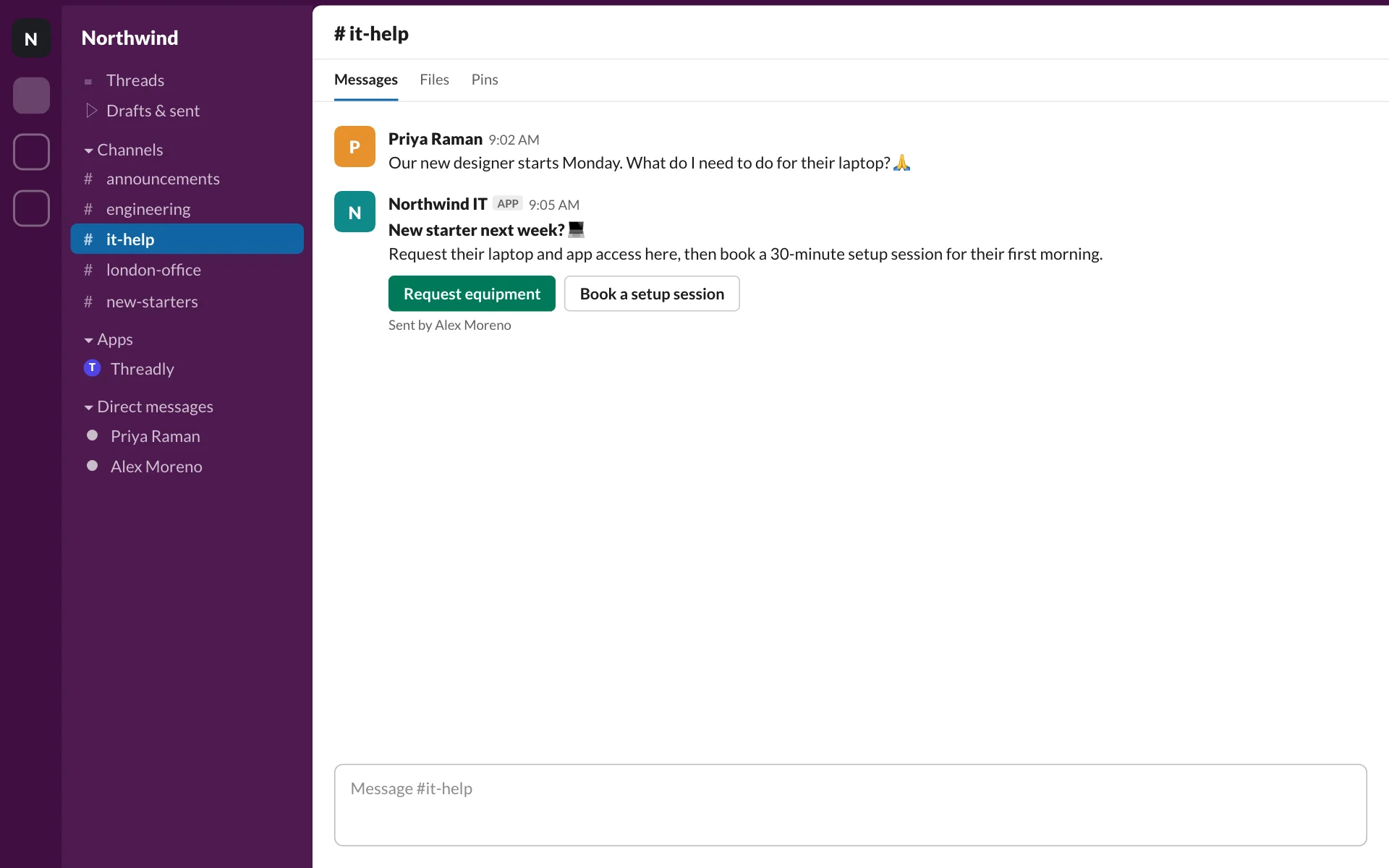
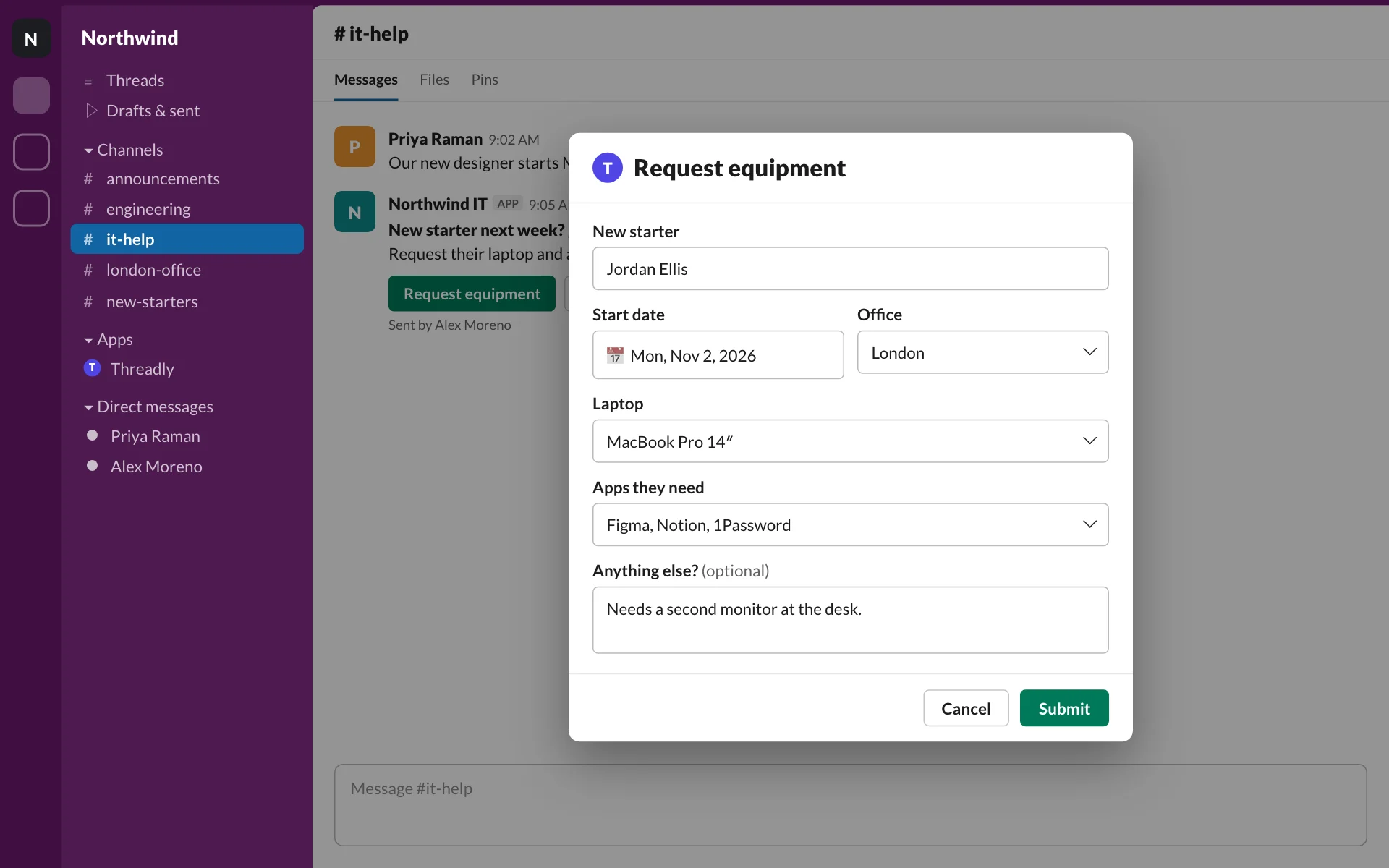
Pin a message in #it-help with a Request equipment button. Managers fill in a Slack form, so you aren’t chasing the start date or the office three messages later.
- Text, dropdown, date and multi-select fields
- Opens as a Slack modal from any message
- Form responses counted per message
Give new starters a setup slot, not a thread
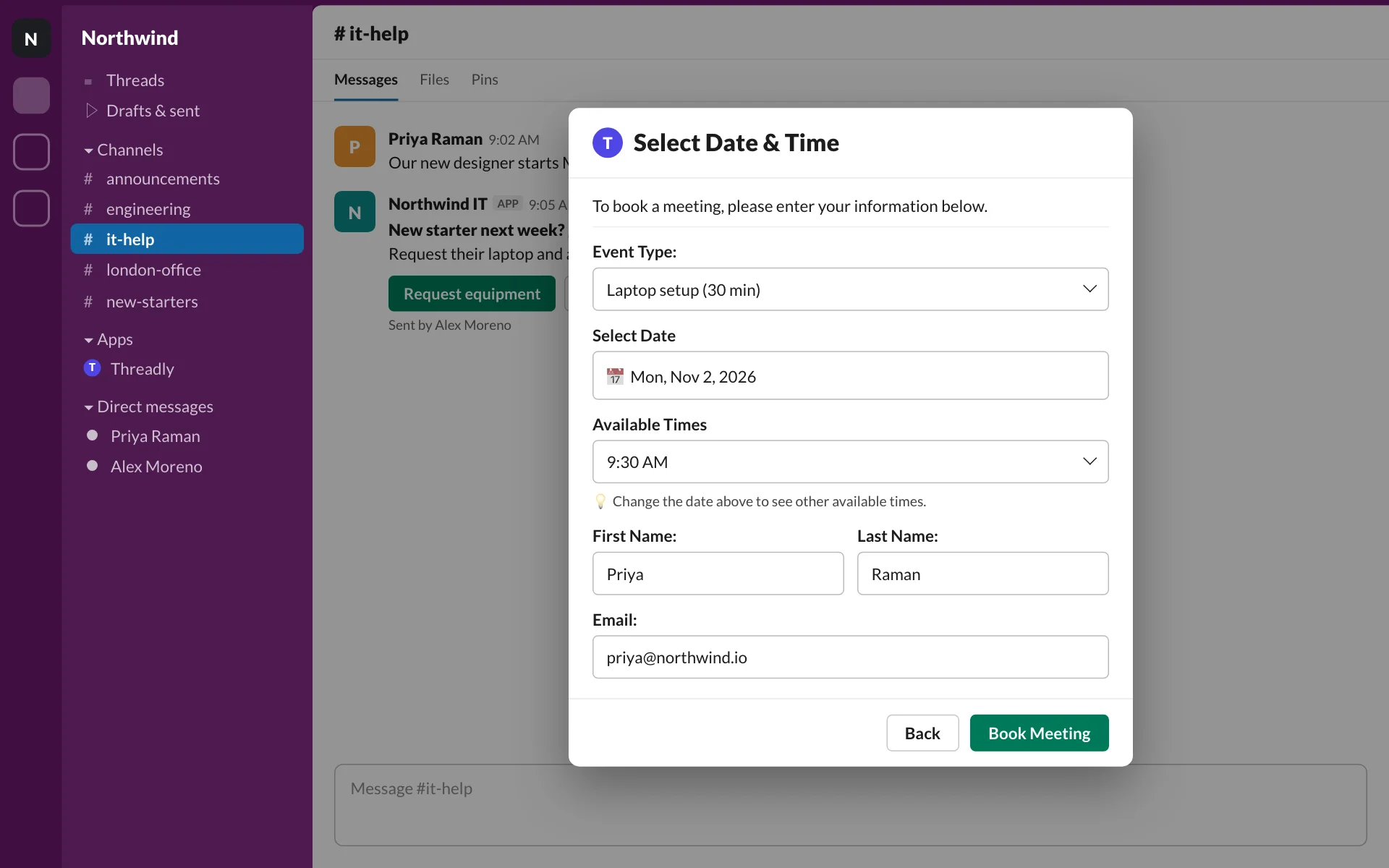
Add a booking button next to the request. People pick a 30-minute laptop handoff from your team’s availability, right in Slack.
- Calendly, Cal.com, SavvyCal or HubSpot meetings
- Handoffs, setup sessions and office hours
- Only open slots are shown
Tell every affected team about Saturday’s maintenance
Write the notice once and send it to the channels and people who need it. Schedule a reminder for Saturday morning and see who clicked through.
- Channels, a saved segment or direct messages
- Schedule the reminder ahead of time
- Clicks tracked per channel and person
Northwind ITAPP
Okta maintenance: Saturday 9–11pm 🔧
Sign-in to Okta apps will be unavailable. Save your work before 9pm.
- engineeringDelivered
- salesDelivered
- supportDelivered
- london-officeDelivered
More ways IT teams use it
- Form
Software access requests
Ask which app, which role and why, in one Slack form.
- Booking
Security training office hours
People book a slot from the reminder instead of replying “when?”
- Broadcast
Wi-Fi and VPN changes
Send the new settings to every office channel at once.
- Form
Hardware refresh sign-ups
Collect device preferences before the refresh cycle starts.
- Poll
Rollout readiness checks
“Has your team updated to the new VPN client?” as a one-click poll.
- Broadcast
Device return reminders
A direct message to departing employees with the return steps.
Frequently asked questions
Does Threadly replace our ticketing system?
No. Threadly sends messages, forms, polls and booking buttons in Slack. Keep your ticketing or ITSM tool for queues, assignment and SLAs.
Where do form responses go?
Responses are recorded in Threadly and counted in the analytics for the message that asked. Threadly does not create tickets.
Can I send to people as well as channels?
Yes. The composer sends to channels, a saved segment or direct messages, so you can reach the right people for each notice.
Can employees book IT appointments in Slack?
Yes. A booking button opens date and time selection in Slack using Calendly, Cal.com, SavvyCal or HubSpot meetings.
Make the next IT request a complete one
Add Threadly to Slack and build your first request form in minutes. Free to start.